

触发数据收集 API
了解如何使用 Web Scraper API 触发数据收集,提供发现和 PDP 抓取器的选项。自定义请求,设置交付选项,并高效地检索数据。
正文
要供抓取器使用的输入。可以作为 JSON 或 CSV 文件提供:Content-Type: application/json输入的 JSON 数组
示例: [{"url":"https://www.airbnb.com/rooms/50122531"}]
Content-Type: multipart/form-data一个 CSV 文件,字段名为 data
示例 (curl): data=@path/to/your/file.csv
Web Scraper 类型
每种抓取器可能需要不同的输入。主要有两种类型的抓取器:1. PDP
这些抓取器需要 URL 作为输入。PDP 抓取器从网页中提取详细的产品信息,如规格、定价和功能。2. Discovery
Discovery 抓取器允许您通过搜索、类别、关键词等来探索和发现新实体/产品。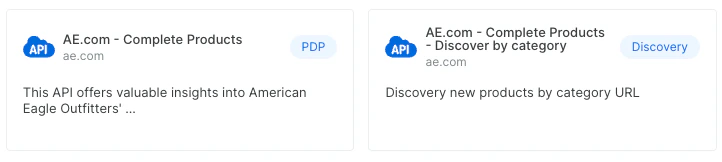
请求示例
PDP 以 URL 输入
PDP 的输入格式始终是 URL,指向要抓取的页面。
基于 discovery 方法的 Discovery 输入
discovery 的输入格式可以根据特定的抓取器有所不同。输入可以是:
授权
Bearer authentication header of the form Bearer <token>, where <token> is your auth token.
查询参数
Dataset ID for which data collection is triggered.
"gd_l1vikfnt1wgvvqz95w"
Set it to "discover_new" to trigger a collection that includes a discovery phase.
discover_new Specifies which discovery method to use. Available options: "keyword", "best_sellers_url", "category_url", "location" and more (according to the specific API). Relevant only for collections that include a discovery phase.
Include errors report with the results.
Limit the number of results per input. Relevant only for collections that include a discovery phase.
x >= 1Limit the total number of results.
x >= 1URL where the notification will be sent once the collection is finished. Notification will contain snapshot_id and status.
Webhook URL where data will be delivered.
Specifies the format of the data to be delivered to the webhook endpoint.
json, ndjson, jsonl, csv Authorization header to be used when sending notification to notify URL or delivering data via webhook endpoint.
By default, the data will be sent to the webhook compressed. Pass true to send it uncompressed.
请求体
- Only inputs · object[]
- Deliver config and inputs · object
响应
Collection job successfully started
ID of your request that can be used in the next APIs
"s_m4x7enmven8djfqak"