

Direct API access (recommended)
A pure REST API method for easy access and straightforward integration.
Native proxy-based access
For workflows that rely on proxy-based routing.
Direct API access (recommended)
A simple and RESTful way to interact with Bright Data’s SERP API. Direct API access abstracts proxy management and allows you to send requests via a central endpoint, ensuring ease of use and straightforward REST API integration.Best for:
- Centralized endpoint: Access SERP API via a single, RESTful endpoint.
- Streamlined direct integration: Eliminating the complexity of managing proxies or routing.
- Single API key authentication: Secure and easy to use, replacing the need for username-password management.
Sending your first request
After setting up your SERP API zone, you’ll find a working SERP API request example and your API token within your zone’s Overview tab: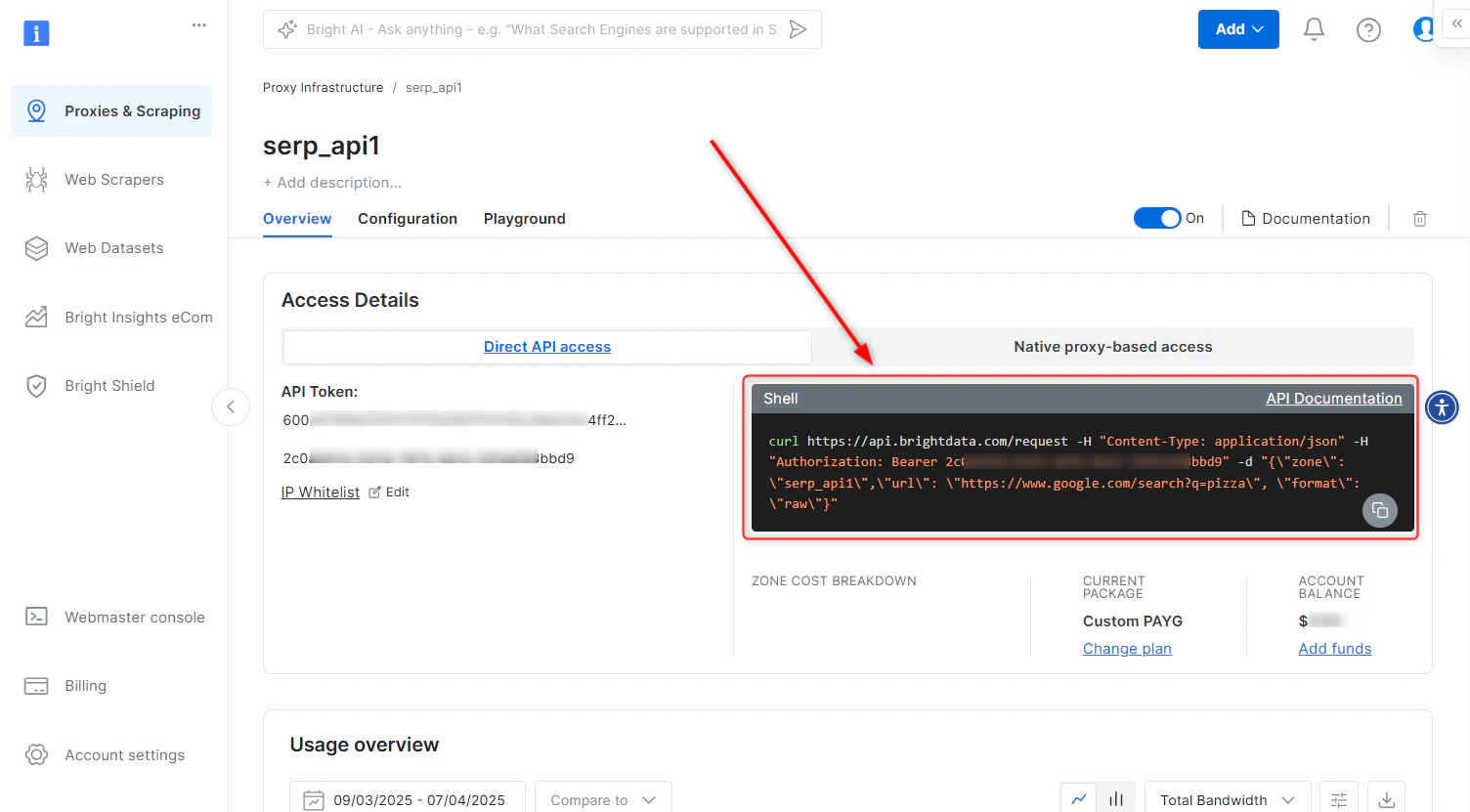
Direct API access - cURL
Request breakdown
-
API Endpoint:
https://api.brightdata.com/request -
Authorization Header:
Authorization: Bearer [INSERT YOUR API TOKEN]- Your API token is found within your SERP API zone. -
Payload:
-
zone: Your specific SERP API zone name. -
url: The full SERP target URL (including SERP query params) that you wish to access via SERP API. -
format: Defines the response format. Userawto receive the raw response from the target site.
-
Generating your Bright Data API token
A Bright Data API token is your secure authentication token for accessing SERP API via Direct API access. When adding a new SERP API zone in the control panel, an API token will be generated automatically and can be found within the Overview tab of your zone.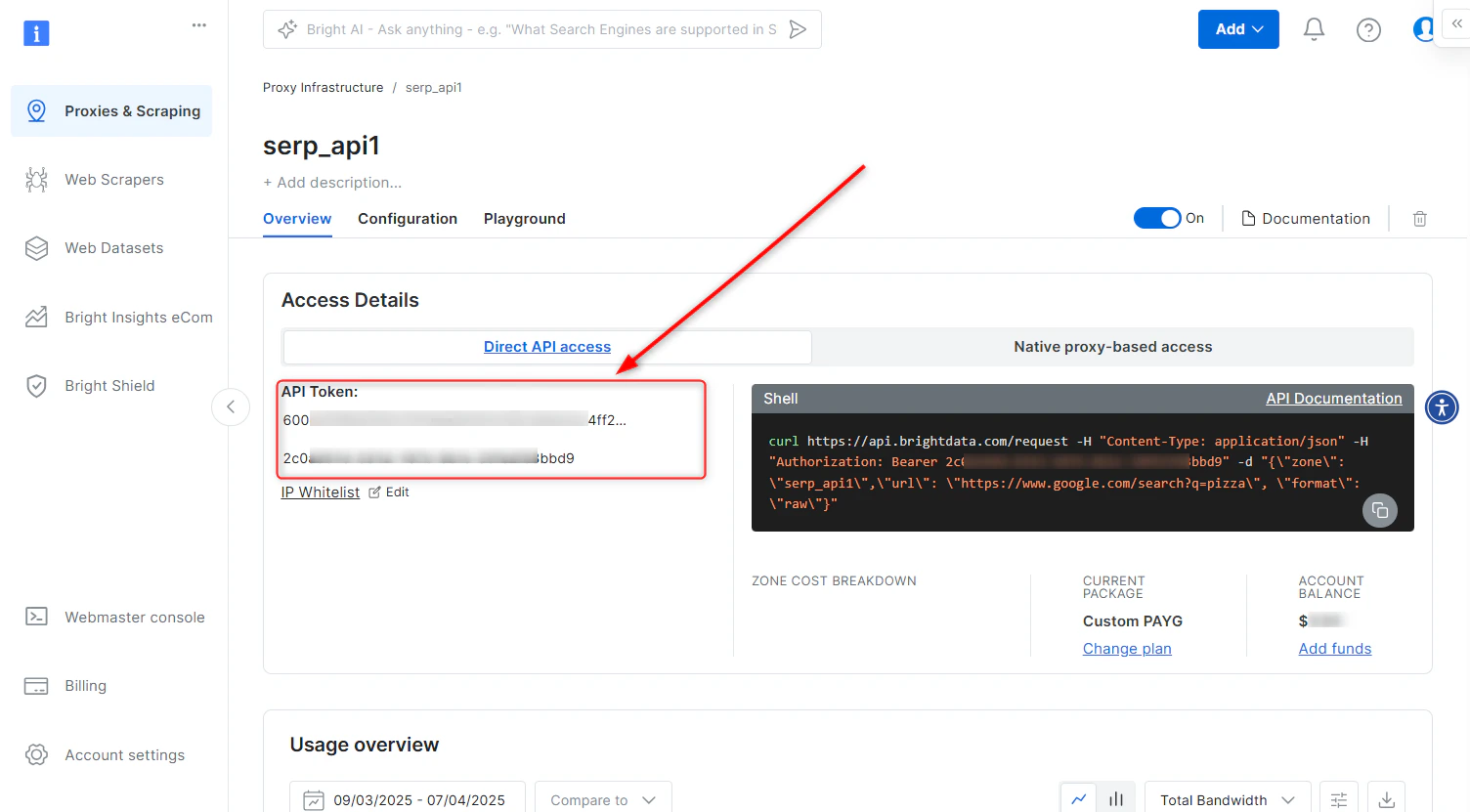
- Navigate to Account settings.
- Scroll down and click the Add Token button.
- Follow the on-screen instructions to complete the process.
Native proxy-based access
In order to access SERP API, you will need to provide credentials which are comprised of:- Your customer ID
- Your SERP API zone name
- Your SERP API password
- Bright Data SSL certificate